
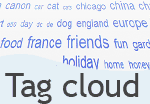
 Tag clouds are great to visually indicate the popularity or frequency of a word. But as tag clouds increase in size so it takes more time to find the content tag you're looking for.
The efficiency of the tag cloud can be improved by applying colour ranges to match word frequency, as well as better use of text size. The article ("In search of the perfect Tag Cloud" looks at a number of sites with varying techniques.
Another way to quickly view tags by popularity is to filter them by a selected weight. Using the slider interface we can let the user quickly adjust the displayed tags.
Using a number of popular scripting libraries here is an example of our Tag Cloud filter.


The Tag Cloud filter is implemented using unobtrusive techniques and uses the following scripts:
Download Tag Cloud filter (zip archive)- Filed under:
- UI Design Patterns
- Interaction design
- JavaScript
- Prototype
- Slider
- Tag Cloud
- UI design
- Widgets
- Posted by:
- James Griffin
- Dated:
- July 16, 2007
- Tweet